Disclosure: This post contains affiliate links. If you buy through them I may earn a small commission, at no extra cost to you. It never changes which locks I recommend.
How we assess: every pick here is scored on research, spec sheets, teardown reports, and owner reviews — not vibes. See our full How We Review process.
Last updated: September 2026.
Short answer: are push button door locks worth it?
Yes — for most people a push button door lock is worth it, and I’d argue it’s the single easiest security upgrade you can make to a front door. You stop hiding keys under the mat, you stop rekeying when a roommate leaves, and you get in with your hands full. The catch is that “push button door lock” covers two very different animals: cheap electronic keypad deadbolts (Kwikset Powerbolt, Schlage BE365, Kwikset SmartCode 260) that run on AA batteries, and mechanical no-battery combination locks (Lockey, Kaba Simplex) that cost more and use one shared code. Pick the wrong type and you’ll be annoyed within a month. Pick the right one and you’ll forget your keys ever existed.
My top pick for most homes: the Kwikset SmartCode 260 — Grade 2, auto-locks behind you, SmartKey backup, and it lands under $100.
Key takeaways
- Two families, not one. Electronic keypad = codes, batteries, auto-lock. Mechanical = no battery, one shared code, weatherproof.
- Security is “good enough,” not fortress-grade. Most residential keypad deadbolts are ANSI/BHMA Grade 2. That beats a Grade 3 knob lock but isn’t the Grade 1 you’d bolt to a bank.
- The keypad isn’t the weak point — your door is. A strong lock in a soft jamb with short screws is theatre. Reinforce the strike.
- Budget reality (September 2026): a solid electronic keypad deadbolt like the SmartCode 260 runs around $70. Mechanical Lockey-style locks cost more, not less.
- Backup matters. Buy one with a real key cylinder or a swappable battery pack. Getting locked out of your own lock is a special kind of misery.
What a push button door lock actually is
A push button door lock is any lock you open by pressing a code on a physical keypad instead of turning a key. That’s the whole definition. But underneath that simple idea sit two designs that behave nothing alike, and most buying guides gloss right over the difference.
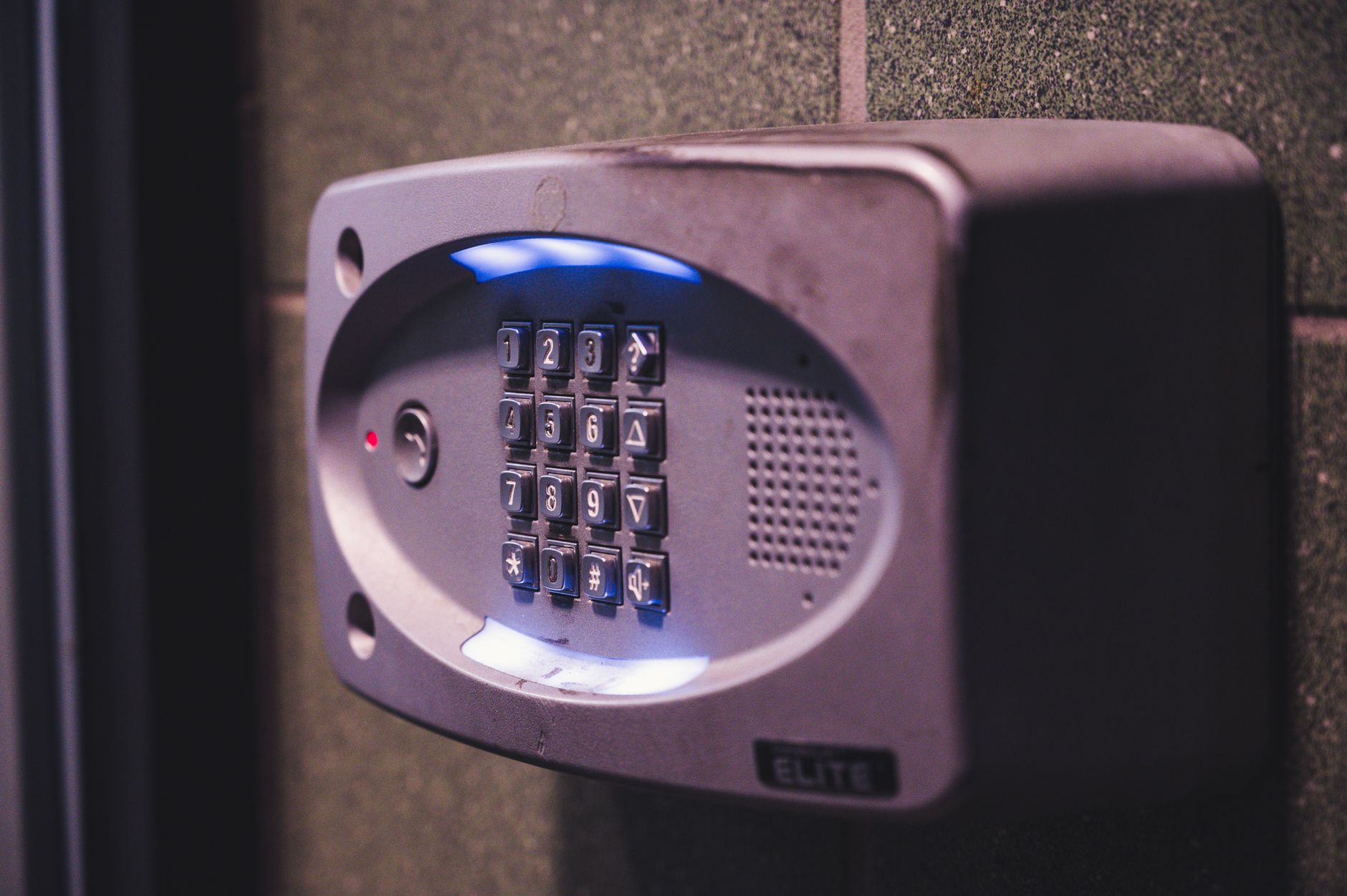
Electronic keypad locks are what most people picture. You press a 4-to-8-digit code, a little motor throws the deadbolt, and you’re in. They run on batteries — usually four AA cells — and they let you store multiple codes, so the dog walker, the kids, and your in-laws can each have their own. Kwikset’s Powerbolt and SmartCode lines and Schlage’s BE365 all live here. These are the ones that auto-lock behind you and beep at you.
Mechanical push button locks are the older, tougher cousin. No batteries, no motor, no electronics at all — just a mechanical cipher behind the buttons. You press a combination, the lock disengages, you turn the handle. Brands like Lockey and the Kaba Simplex line dominate here. The trade-off is stark: one shared code for everyone, and changing that code means partially disassembling the lock. In exchange you get a device that works in a power cut, in a deep freeze, in a monsoon, forever.
So when someone asks “is a push button door lock secure?” the honest answer is “which kind, and bolted to what door?” We’ll get specific below.
Who this is for
I’ll save you time. A push button door lock is a strong fit if you’re one of these people:
- The key-loser. If you’ve been locked out more than twice this year, a code you can’t drop in a parking lot fixes the root cause.
- The landlord or Airbnb host. Give each guest a code, wipe it when they leave, never cut another key. This is the killer use case.
- The parent of latchkey kids. No more keys on shoelaces or “hide-a-key” rocks that every burglar already knows about.
- The garage/side-door owner. A mechanical no-battery lock on a detached garage or gate is close to maintenance-free.
- The renter who wants keyless without a subscription. A simple keypad deadbolt gives you codes without Wi-Fi, an app, or a monthly fee.
Who should keep scrolling past this whole category? Anyone who specifically wants phone unlocking, remote access, or voice-assistant control. That’s a smart lock, and it’s a different buy — I compare the two in smart lock vs. deadbolt. A push button lock is deliberately dumber, and that’s often the point.
At-a-glance: types, specs, and pricing
Here’s the whole category on one screen. Prices reflect what I saw in September 2026 and they move around, so treat them as ballpark.
| Type | Example | Power | Codes | Grade | Rough price | Best for |
|---|---|---|---|---|---|---|
| Budget electronic keypad | Kwikset Powerbolt 250 | 4x AA | Multiple | Grade 3 | Under $80 | First keyless lock, side doors |
| Mid electronic keypad | Kwikset SmartCode 260 | 4x AA | Up to 8 | Grade 2 | ~$70 | Most front doors |
| Rugged electronic keypad | Schlage BE365 | 4x AA (incl.) | Up to 19 | Grade 2 | ~$100 | Busy households, tougher build |
| Mechanical (no battery) | Lockey 2835 | None | 1 shared | Heavy-duty | $100+ | Gates, garages, outdoor |
Check SmartCode 260 price on Amazon →
The honest point-by-point walkthrough
This is where I actually take sides. Each point gets a verdict, because “it depends” is a cop-out.
1. Keyless convenience
The whole reason you’re here. A code beats a key in almost every daily scenario: arms full of groceries, kids running ahead, a jog with no pockets. You give codes out and pull them back without a locksmith. For a rental, that alone pays for the lock in one turnover.
Verdict: the strongest reason to buy. Nothing else in the category comes close.
[ADD YOUR EXPERIENCE: describe a real week of using the code entry — how it felt walking up with groceries, whether family members adapted quickly.]
2. Security and ANSI/BHMA grade
Locks get graded 1, 2, or 3 by ANSI/BHMA, where Grade 1 is the strongest (commercial-duty) and Grade 3 is entry-level residential. Most keypad deadbolts worth buying — the SmartCode 260 and Schlage BE365 among them — carry Grade 2, which is certified for commercial use and is genuinely solid for a home. Cheaper units like the Powerbolt sit lower. Mechanical Kaba Simplex locks can hit the top tier.
Here’s the blunt truth: a Grade 2 keypad deadbolt is not the deadbolt’s weak point. The kick-in resistance of your door and frame is. A $200 lock in a hollow jamb with 3/4-inch screws pops out with one good kick.
Verdict: Grade 2 is the sweet spot for a home. Don’t overspend on grade; spend the difference on a strike-plate reinforcement kit.
3. Battery life and the dreaded dead lock
Electronic keypad locks run on four AA batteries and last roughly a year of normal use before they warn you. The good ones flash or beep for weeks before they die. This is the number-one complaint I see in owner reviews — not that batteries die, but that people ignore the warning and then get stuck outside.
Verdict: a real limitation, but a managed one. Buy a lock with a physical key backup and keep that key somewhere off-site, like a neighbor’s. Mechanical locks sidestep this entirely.
[ADD YOUR EXPERIENCE: note how many months you actually got from a set of batteries and whether the low-battery warning gave you enough notice.]
4. Installation
If you can use a screwdriver, you can fit one of these in about 20 minutes on a standard pre-drilled door. Both Kwikset and Schlage ship templates and need only a Phillips head. No wiring, no drilling if your door already has a deadbolt bore.
Verdict: genuinely easy. This is not a job you need to pay for.
5. Multiple codes and access control
Electronic locks shine here. The SmartCode 260 holds up to 8 user codes; the Schlage BE365 holds up to 19. Each person gets their own, and you delete one without touching the others. Mechanical locks give you exactly one code that everyone shares — fine for a gate, painful for a family.
Verdict: if more than two people need access, buy electronic. The code management alone justifies it.
6. Weather and durability
Mechanical locks own this round. No electronics means nothing to corrode or freeze, and models like the Lockey 2835 are built for exterior gates and marine environments. Electronic keypads handle covered porches fine but hate direct rain and extreme cold, which saps batteries fast.
Verdict: exposed door or gate, go mechanical. Sheltered front door, electronic is fine.
Check Schlage BE365 price on Amazon →
What no one else tells you about push button locks
Every other guide sells you on convenience and stops. Here’s the stuff that actually bites people once the lock is on the door.
The keypad remembers your fingers. On a lock where you press the same four digits every day for two years, those buttons wear shiny and the rest stay dull. A stranger can often read your code off the wear pattern, or off the smudges after you leave. The fix is easy and almost nobody does it: pick a code that uses more digits than it needs, and change it a couple of times a year. On a rubber-membrane keypad like the Schlage’s, wear shows far less than on hard plastic buttons.
“Grade 2” is about durability cycles, not burglar resistance. People read the grade as a toughness-against-attack score. It’s mostly a longevity and operational-strength rating — how many times it can cycle, how much force the bolt tolerates. A determined attacker doesn’t pick a residential keypad; they defeat the door. So chasing a higher grade for anti-theft reasons is the wrong optimization. Spend on the frame.
Auto-lock is a double-edged feature. The SmartCode’s 30-second auto-lock is great until it locks you out while you’re carrying the second load of groceries to the car, code-free hands and all. Know whether your lock auto-locks before you buy, and decide if you actually want it. The Schlage BE365 deliberately doesn’t auto-lock, and plenty of people prefer that.
Cheap keypads get “mushy.” The single most common long-term complaint on budget units isn’t security — it’s that after a couple of years the buttons stop registering cleanly and you mash the code twice. It’s the number-one reason I’d nudge someone from the cheapest Powerbolt up to the SmartCode 260 or the Schlage.
[ADD YOUR EXPERIENCE: after living with the lock, note whether the buttons still felt crisp and whether you could spot code wear on the keypad.]
Comparison: which push button lock wins for you
| Pick | Why it wins | Watch out for | Best for [persona] |
|---|---|---|---|
| Kwikset SmartCode 260 | Grade 2, auto-lock, SmartKey rekey, under $100 | Auto-lock can catch you out | Most homeowners; the default pick |
| Schlage BE365 | Toughest build, 19 codes, membrane keypad resists wear | No auto-lock, bulkier, costs more | Busy families, high-traffic doors |
| Kwikset Powerbolt 250 | Cheapest way into keyless, easy install | Lower grade, buttons can go mushy | Budget buyers, side and garage doors |
| Lockey 2835 (mechanical) | Zero batteries, weatherproof, near maintenance-free | One shared code, code changes are fiddly | Gates, sheds, outdoor and off-grid |
If you want the broader field including Wi-Fi and fingerprint models, read our best keypad deadbolts under $100 and the wider front door lock types overview.
Check Powerbolt 250 price on Amazon →
Who should buy — and who should skip
Buy an electronic keypad deadbolt if: you want per-person codes, you have a sheltered front door, and you’ll actually change the batteries when it warns you. The SmartCode 260 is the pick for most; step up to the Schlage BE365 if the door sees heavy daily traffic. Both qualify as a budget pick under $100 territory when they’re on sale.
Buy a mechanical push button lock if: the door is exposed to weather, loses power, or sits on a gate or outbuilding, and a single shared code is fine. The Lockey 2835 is the workhorse. It costs more than the cheap electronic locks, not less — people are always surprised by that.
Check Lockey 2835 price on Amazon →
Skip the whole category if: you want phone unlocking, remote lock/unlock, activity logs, or Alexa/Google control. You want a smart lock instead — start with how to choose a smart lock. Also skip if your door frame is rotten or the jamb is soft; fix that first, because no lock saves a bad frame.
The honest limits
I’d be lying if I sold this as flawless. The real limits:
- Codes can be watched or worn. Shoulder-surfing and button wear are real. Change your code periodically.
- Electronics fail. Batteries die, motors wear, cheap keypads get flaky. Always keep a key or battery-jump backup — buy a model that keeps a physical key backup.
- Mechanical means one code. No individual accountability, no easy revocation. Wrong tool for a busy family.
- The grade is not a force field. A residential keypad deters the opportunist and fails to the committed. Reinforce the strike plate and hinges.
- No remote anything. If you’re not home, you can’t let anyone in. That’s by design, but know it going in.
The verdict
A push button door lock is the best low-drama upgrade a front door can get — buy the Kwikset SmartCode 260 for a home, a mechanical Lockey for a gate, and spend the money you save on reinforcing the frame.
Frequently asked questions
Are push button door locks secure?
Yes, for everyday residential use. Quality models like the Kwikset SmartCode 260 and Schlage BE365 are ANSI/BHMA Grade 2, certified for commercial duty. The lock itself is rarely the weak point — a determined intruder attacks the door and frame, not the keypad, so pair the lock with a reinforced strike plate.
What is a push button door lock?
It’s any lock you open by pressing a code on a keypad instead of turning a key. There are two kinds: electronic keypad locks that use batteries and store multiple codes, and mechanical push button locks that need no power and use a single shared combination.
Do push button door locks need batteries?
Electronic ones do — typically four AA batteries lasting about a year. Mechanical push button locks like the Lockey 2835 use no batteries at all; they run on an internal mechanical cipher, which is why they suit gates and outdoor doors.
What happens if the battery dies?
On a good electronic lock, you get weeks of low-battery warnings first. If it does die, you use the physical key backup, or on some models touch a 9V battery to external terminals to power it just long enough to open. Always keep that backup key somewhere off the property.
How much does a push button door lock cost?
As of September 2026, a budget electronic keypad deadbolt runs under $80, a mid pick like the Kwikset SmartCode 260 sits around $70, and the tougher Schlage BE365 lands near $100. Mechanical no-battery locks generally start above $100 — they cost more, not less.
Can push button door locks be hacked or picked?
Residential electronic keypads aren’t a realistic “hacking” target — there’s no network to attack on a basic keypad lock. The practical risks are shoulder-surfing your code and reading worn buttons. Both are solved by using a longer code and changing it a couple of times a year.
How many codes can I set?
It depends on the model. The Kwikset SmartCode 260 stores up to 8 user codes; the Schlage BE365 holds up to 19. Mechanical push button locks give you a single shared code for everyone.
Push button lock vs smart lock — what’s the difference?
A push button lock unlocks only with an on-device code. A smart lock adds phone unlocking, remote access, logs, and voice control, usually over Wi-Fi or Bluetooth. If you want your phone in the loop, you want a smart lock. If you just want to ditch keys, a push button lock is simpler and cheaper.
Are mechanical or electronic push button locks better?
Neither is universally better. Electronic wins on multiple codes, auto-lock, and price. Mechanical wins on weatherproofing, no batteries, and longevity in harsh spots. Match the lock to the door: front door, go electronic; gate or shed, go mechanical.
Can I install a push button door lock myself?
Yes. If your door already has a standard deadbolt bore, it’s about a 20-minute job with a Phillips screwdriver. Both Kwikset and Schlage include paper templates and clear instructions, and no wiring is involved.
Naveen tests and researches smart locks and home-security gear for TechVibeSpot. See how we review.